 Mirrord
Mirror your iPhone to a Windows PC
Windows can’t receive AirPlay on its own, so the iPhone’s Screen Mirroring button finds nothing. Mirrord adds that: install it on the PC, and your iPhone or iPad shows up in a window over Wi-Fi, with its sound. It’s free for one screen at a time.
How to do it
- Install Mirrord on the PC. Download Mirrord for Windows from this site and install it. Allow it through the Windows firewall when asked (Private networks), so the iPhone can find it.
- Put both on the same Wi-Fi. The iPhone and the PC must be on the same network. Turn off any VPN on the PC: it hides the PC from the rest of your network.
- Mirror from the iPhone. Open Control Center, tap Screen Mirroring and choose Mirrord (your PC’s name). Or get the free Mirrord app from the App Store and tap your PC in it.
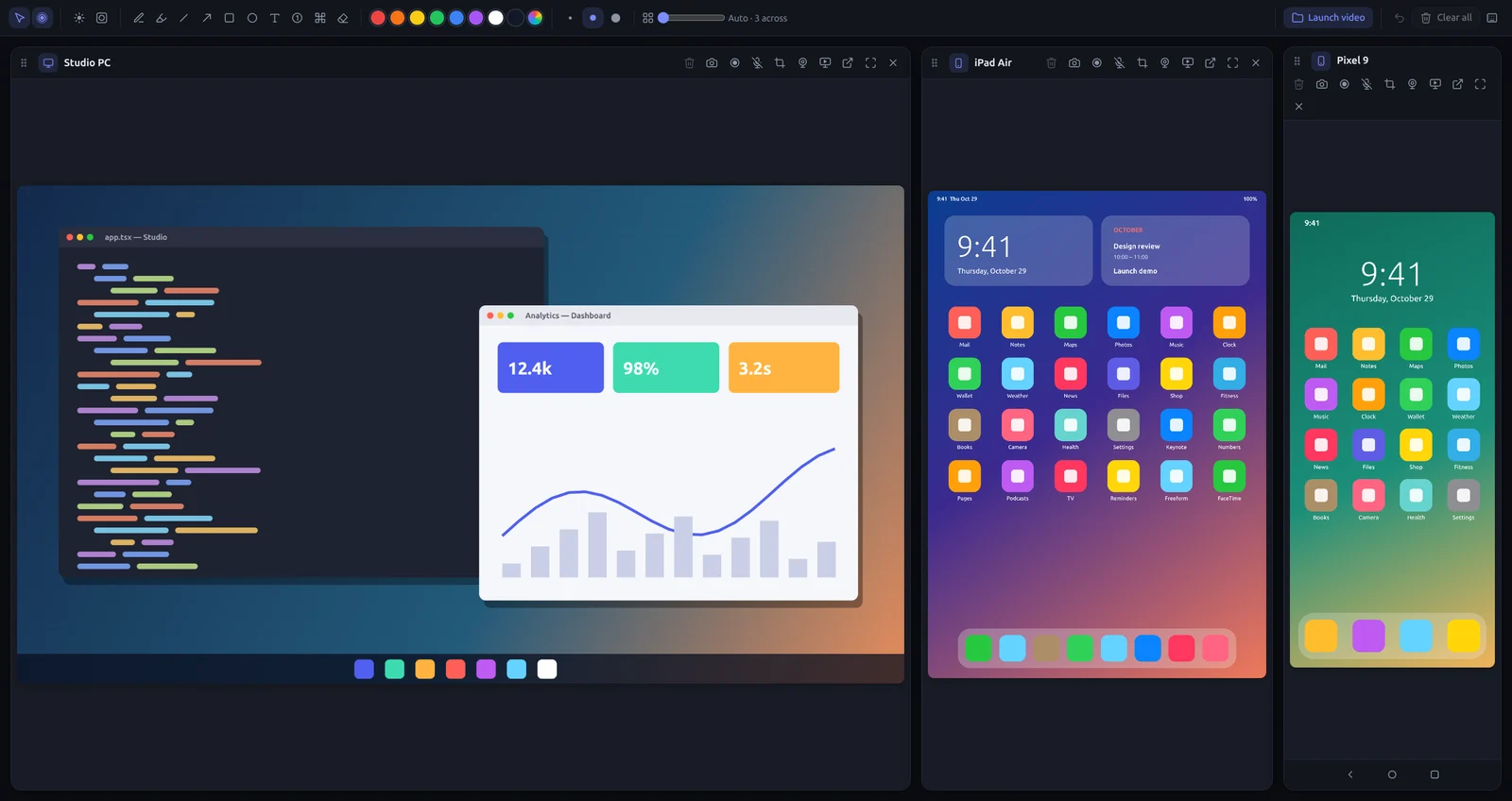
- Use it. Your iPhone shows up in the Screens window. Draw on it, take a screenshot, or record it, sound included.
AirPlay or the Mirrord app?
Both are free. Screen Mirroring (AirPlay) is built into every iPhone and iPad, so there’s nothing to install on the phone. The Mirrord app connects with an encrypted link to the PC you chose, and remembers it. Use whichever you like; the PC shows the same thing either way.
What you can do with it
- Show several phones at once, side by side, or a phone over your PC’s screen (Pro).
- Point things out live with arrows, boxes, numbered steps, a laser pointer or a spotlight.
- Record it, with your microphone, then trim it and zoom in on the taps in the built-in editor.
- Present it full screen on a projector or a second display (Pro).
If the iPhone doesn’t see your PC
- Check the iPhone and PC are on the same Wi-Fi, not a guest network (guest networks often keep devices apart).
- Turn off a VPN on the PC.
- Allow Mirrord in Windows Security → Firewall → Allow an app, for Private networks.
- On Wi-Fi marked “Public” in Windows, switch it to Private.
Try Mirrord free
For Windows, macOS and Linux. Mirror one screen free; Pro is $29 once, for 2 computers.
Questions
Is it free?
Yes. The free version mirrors one screen at a time, with drawing, screenshots and recordings up to 15 minutes. Mirrord Pro adds more screens, unlimited recording and the editor.
Does it work on Windows 10?
Yes, Windows 10 and 11 (64-bit).
Can I control the iPhone from the PC?
No: iOS doesn’t let other devices control an iPhone. You can see it, draw on it and record it. Android phones can be controlled from the PC.